What’s new at Brieflee
We’re constantly refining Brieflee to make your workflow faster, safer, and smarter.
Brieflee Via Claude/ChatGPT
Brieflee is now available inside Claude and ChatGPT
Your favorite AI assistants just got a lot smarter about Belgian law.
You can now connect Brieflee directly to Claude or ChatGPT and put our full case law network to work — right inside the conversations you're already having. Ask questions in plain language, dig into rulings, pull in the linked legislation, and draft your conclusions without ever leaving your AI assistant.
Instead of switching between tabs or starting from a blank page, you get Brieflee's database woven straight into your workflow. Research a point of law, follow it through to the relevant legislation, and turn it into a draft — in one flowing conversation, in Dutch or French.
How to set it up
It takes about a minute.
In Claude, open the Connectors menu and choose Add custom connector.
Fill in the fields:
• Name: Brieflee
• URL: https://app.brieflee.be/mcp
Leave OAuth and the other advanced fields empty — you won't need them.Click Connect. Your browser will open the Brieflee login page.
Sign in with your Brieflee credentials. The connection is established automatically.
Head back to Claude — Brieflee is now available in your conversations.
That's it. Ask your first question and you're off.
We built this because the best tools disappear into your day. Let us know what you think — and what you'd like to see next.
Conclusion Drafting
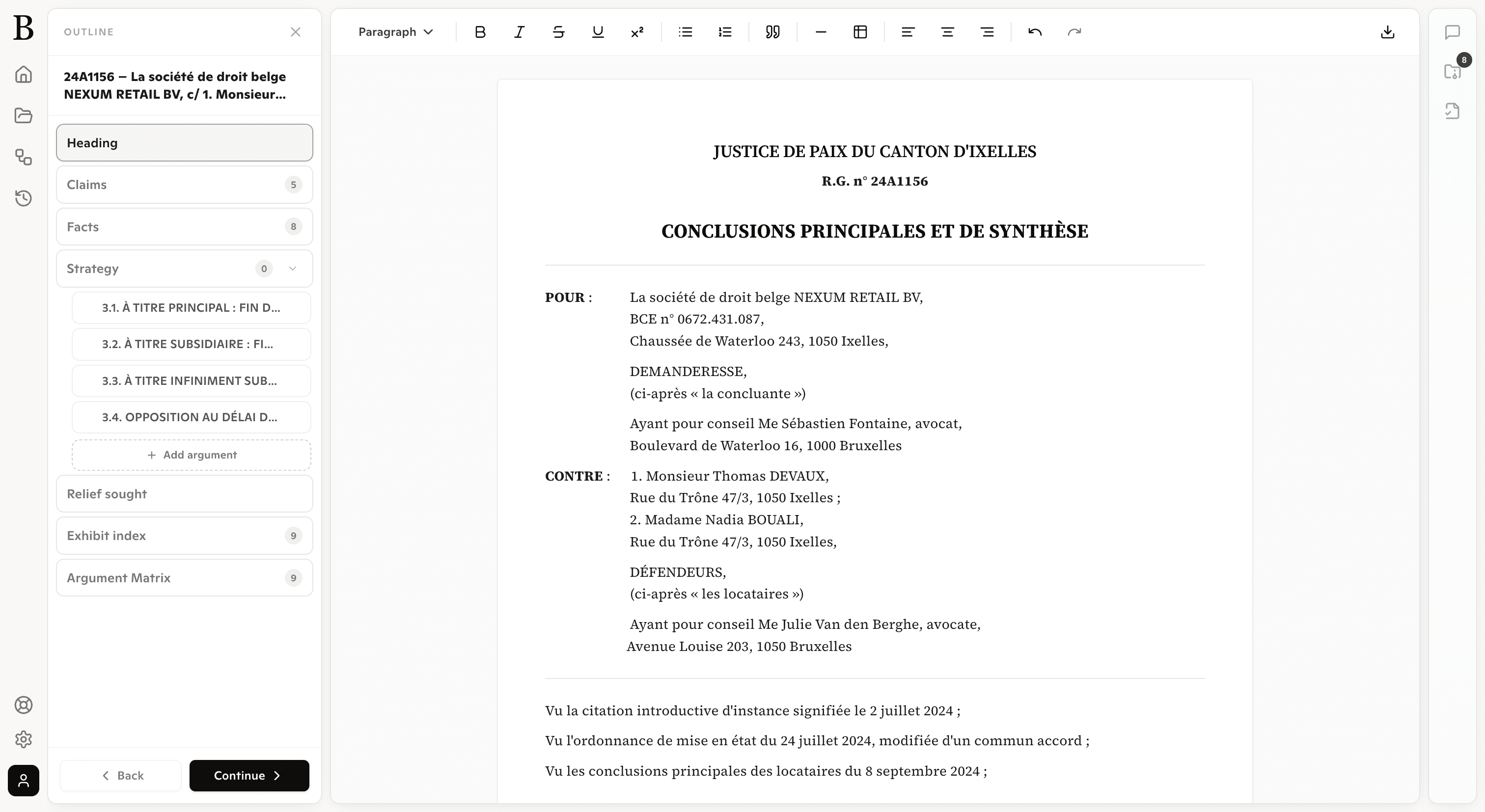
We’re excited to introduce Drafting Conclusions, a new feature designed to help lawyers generate structured legal conclusions directly from the documents and research they’ve gathered.
Instead of starting from a blank page, Brieflee now helps you transform your research into a clear, structured first draft — ready to refine and submit.
What’s new
Generate structured legal conclusions based on the cases and articles saved in your project
Automatically reference supporting case law and legal provisions
Maintain a logical argument structure aligned with litigation writing standards
Adapt the tone and structure to match professional legal drafting
Edit and refine the generated draft directly inside the workspace
Reuse research from your saved documents without rewriting everything manually
Research using chat
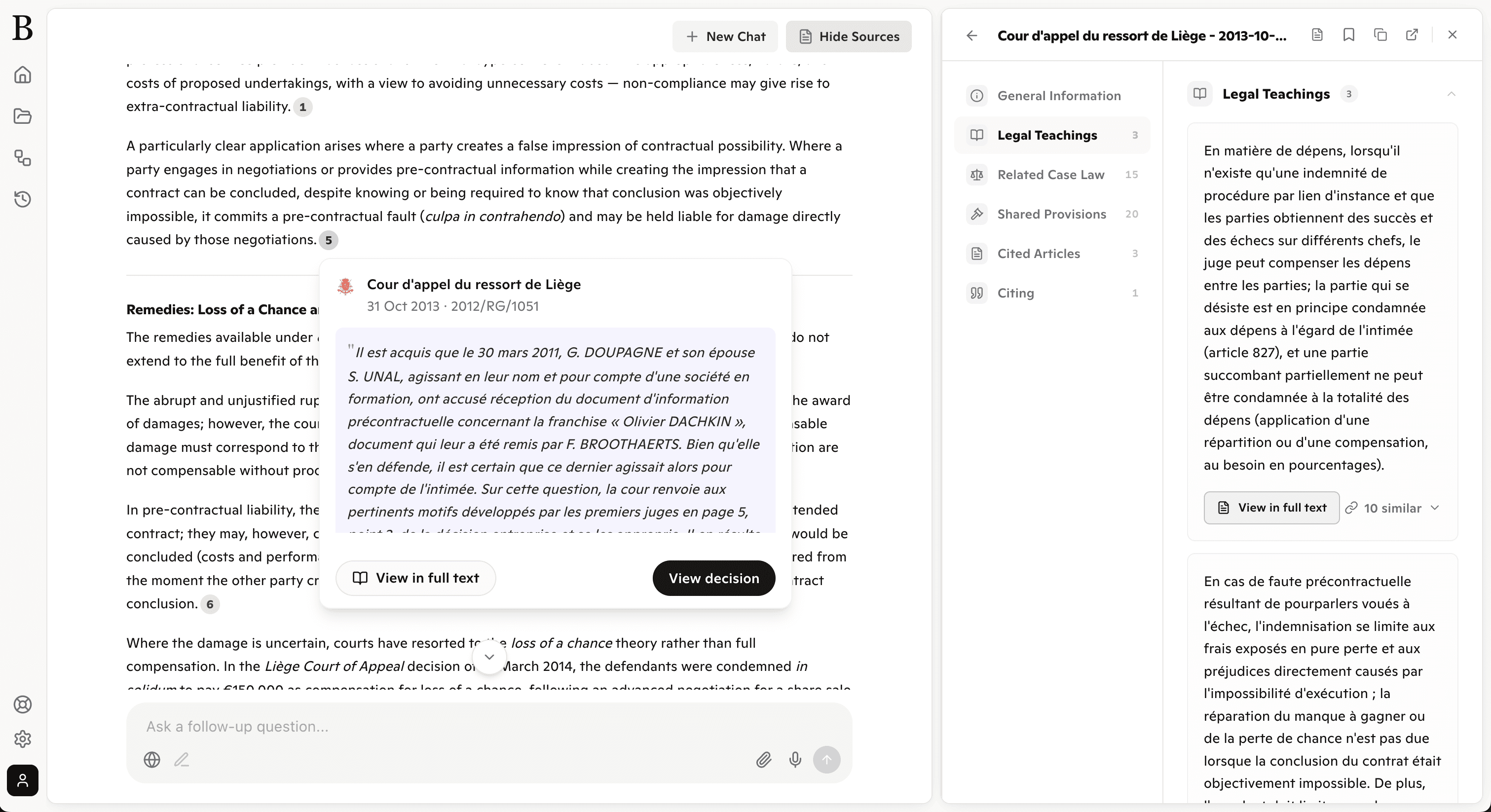
We’re excited to introduce Research with Chat, a new way to explore legal information through natural conversation.
Instead of manually searching through multiple documents, you can now ask questions directly and receive relevant answers grounded in case law and legal provisions.
What’s new
Ask legal questions in natural language and receive contextual answers
Retrieve relevant court decisions and legal articles instantly
Responses grounded in the documents available in the system
Follow-up questions supported to refine research step by step
Direct links to the source decisions and legal provisions used in the answer
Quickly move from research to drafting with the information gathered in chat